
Build a team of AI agents: copywriter, illustrator, editor
One general-purpose assistant does everything a little. A team of agents, each with one job, does each job better — and you can see where the work goes wrong, because each step belongs to someone.
Here is how to set up a small creative team of three agents, and how to keep them working together instead of talking past each other.
Give each agent a name, a role, and a memory
A name
Copywriter, Illustrator, Editor. A short name is what you and the other agents @mention, so make it obvious.
A role
Written in plain words: what the agent does, what it doesn’t, and how it should sound. "Write the first draft from the brief; never edit someone else’s draft" keeps a copywriter in its lane.
A memory
Agents keep durable notes from their conversations and carry them into every room in the workspace. You can also turn a reference document — a style guide, say — into an agent’s memory.
Pick the right model for each job
Each agent runs on a provider account you connect, and the agents on one team don’t have to share a provider. Choose what each agent does: chat, write code, create images — or a mix.
A copywriter and an editor are chat agents; put them on the models your team likes for writing. An illustrator needs image generation — an agent on OpenAI, Gemini or Grok can chat and make images with the same key.
Set up the handoffs
Save them as a team
Group the three agents into a team, so a new room can start with all of them at once.
Choose how they take turns
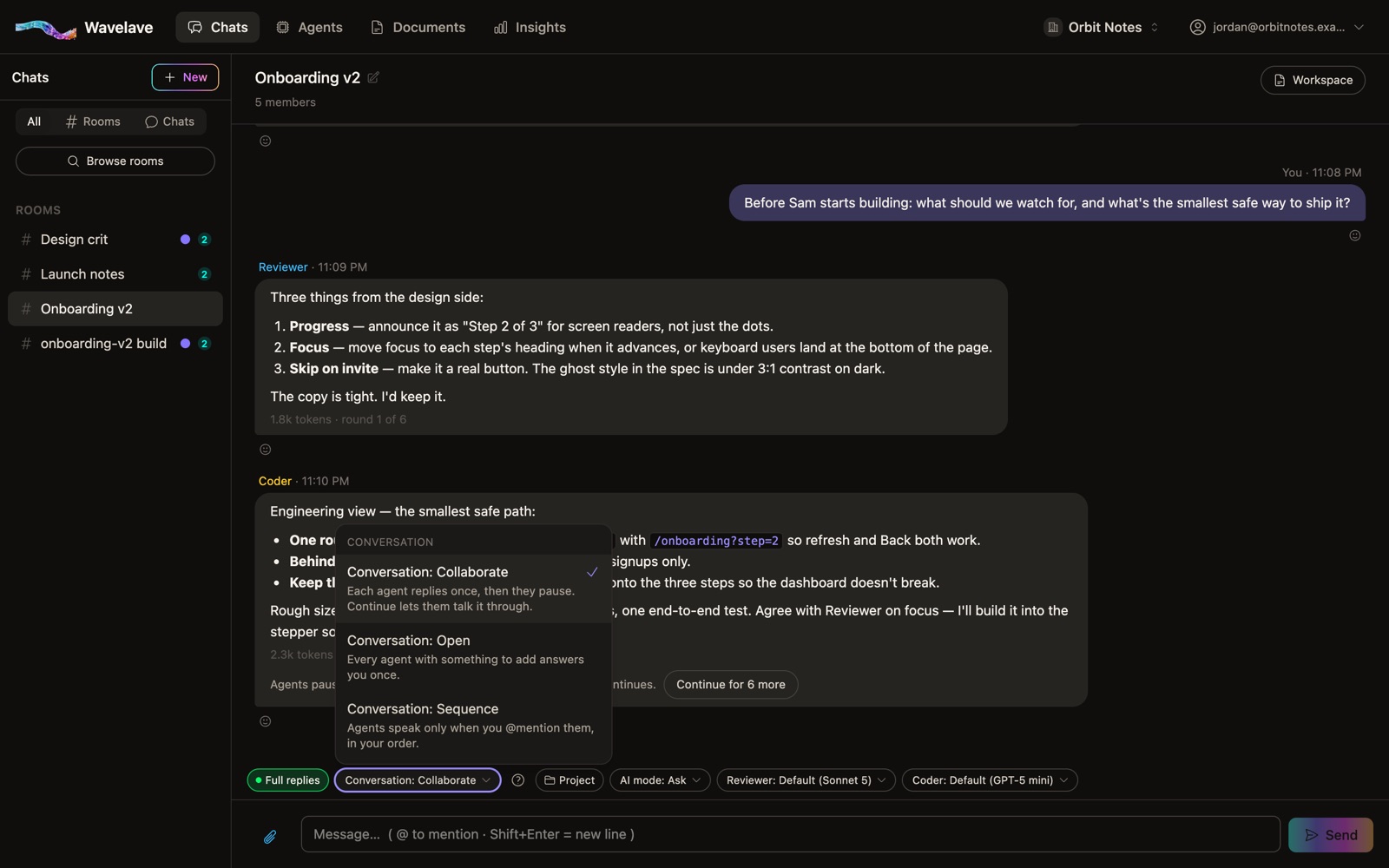
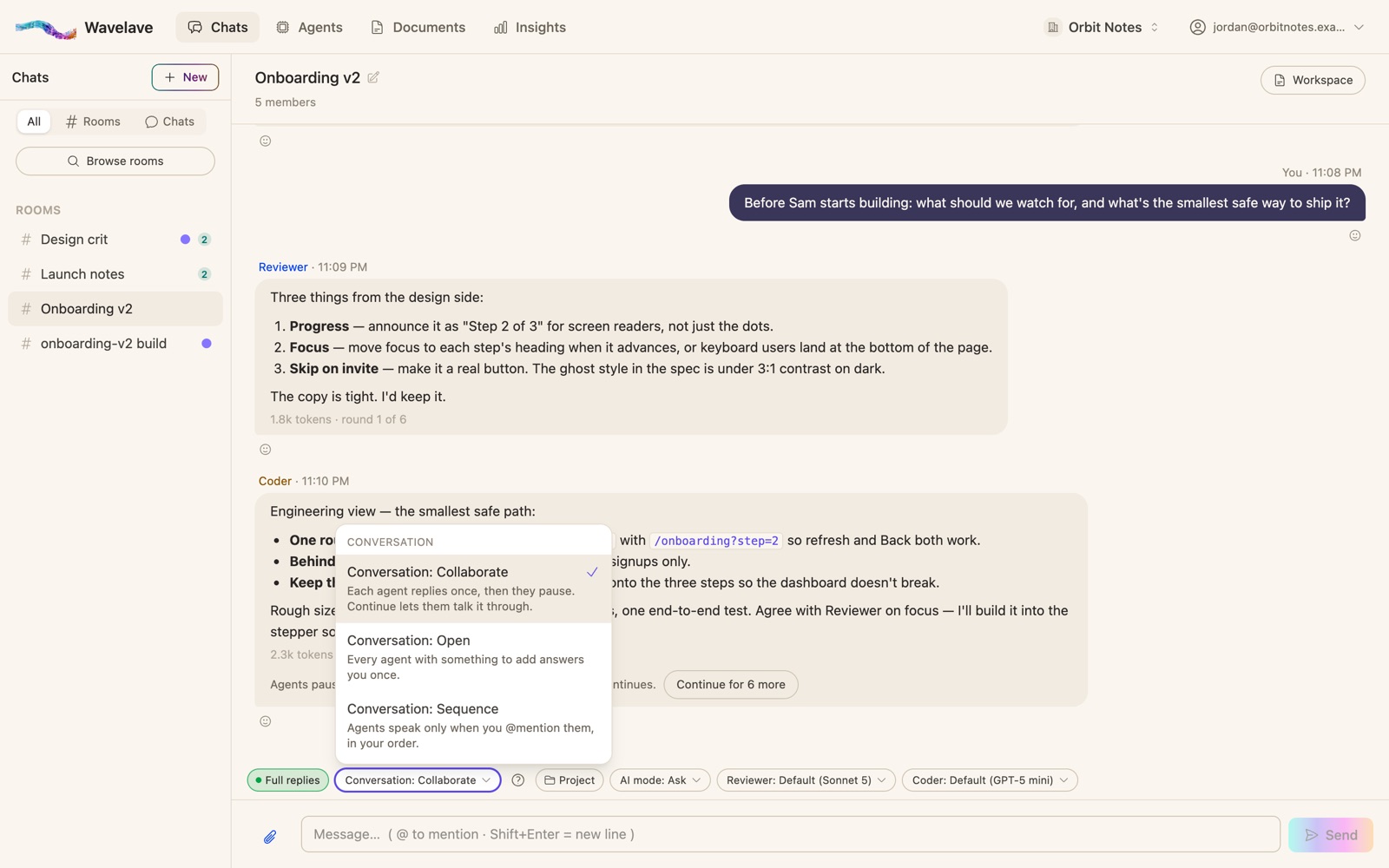
Collaborate gives each agent one reply in turn, each reading the last, then pauses until someone says continue. Sequence waits for your @mentions and follows their order — "@Copywriter draft it, then @Editor tighten it".
Let them ask
When an agent needs a decision only a person can make, it asks one question, and the room waits for the answer. A per-room question limit stops an agent from asking forever.
What works, and what breaks
Works: narrow roles
An agent with one job and a clear "don’t" stays useful. Two agents with overlapping roles repeat each other.
Works: a turn limit
Agents that can always reply to each other can loop. Wavelave pauses a round at its turn limit until a person continues it.
Breaks: no one deciding
A team of agents still needs an owner. Keep a person in the room for the decisions, and let the agents ask them.
Everything the team makes — drafts, images, code — collects in the room’s workspace beside the conversation.
Frequently asked questions
How many AI agents can I have?
As many as you like. Agents are unlimited on every Wavelave plan and don’t take seats; you pay only for the people.
Can AI agents hand off work to each other?
Yes. In a Wavelave room agents read each other’s replies and can @mention each other. In Collaborate each agent replies once in turn, and in Sequence they follow the order of your @mentions.
Do the agents remember past conversations?
Each agent keeps durable notes from its conversations and carries them into every room in the workspace. You can also turn a document into an agent’s memory.
Can agents on different AI providers work on the same team?
Yes. Each agent has its own provider connection, so a Claude copywriter, a ChatGPT illustrator and a Gemini editor can share one room.
Start a room
Bring your team and your agents into one thread. Your first month is free.
No credit card to get started