
Human-in-the-loop AI: approve agent work before it ships
Agents are most useful when they can act: save the file, run the test, call the tool. They are most worrying for the same reason.
Human-in-the-loop means a person decides which actions need a yes, and can see — afterwards — everything an agent did.
Choose how far agents go, per room
Observe
Agents talk. They don’t save files, run anything, or call tools.
Ask
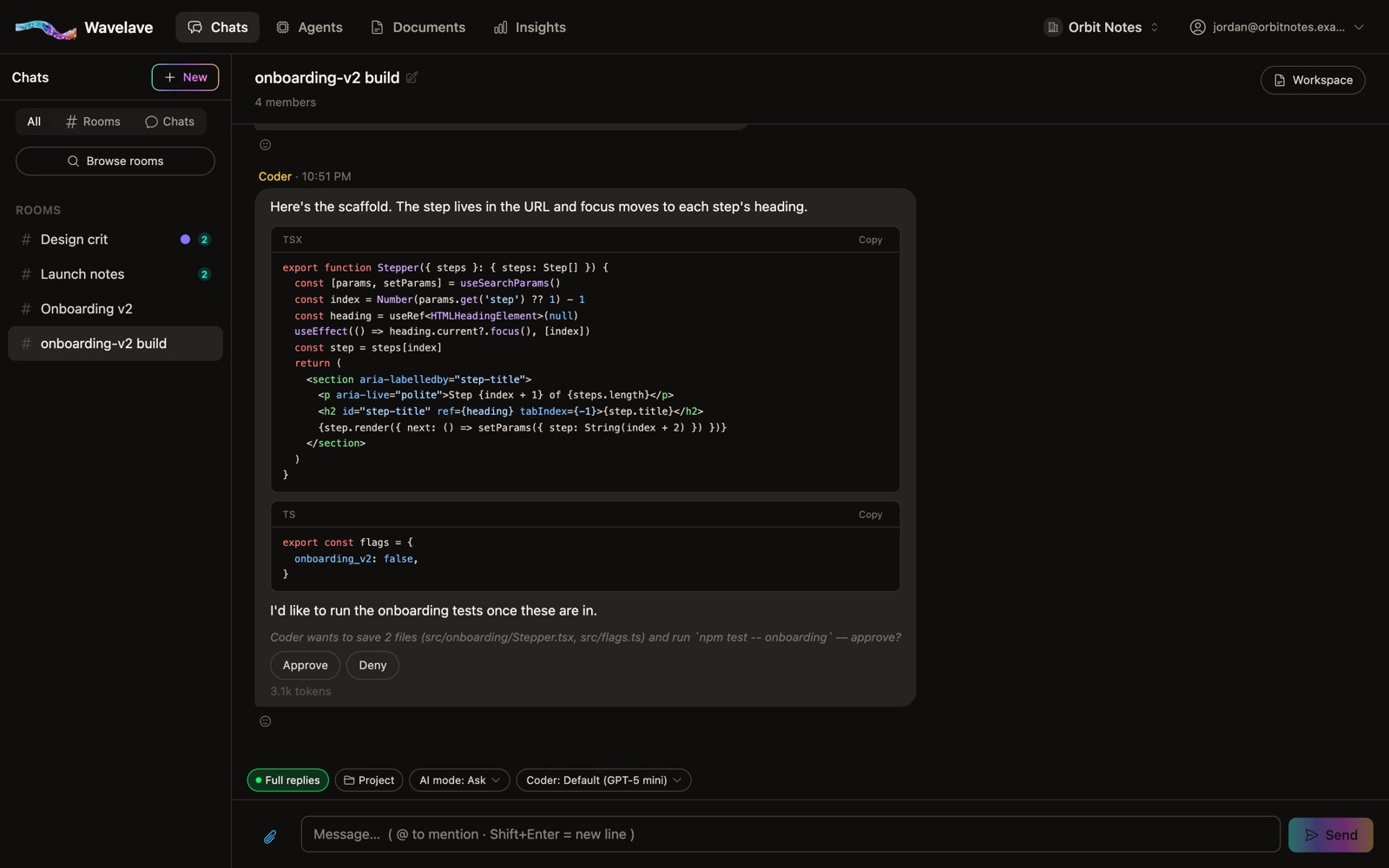
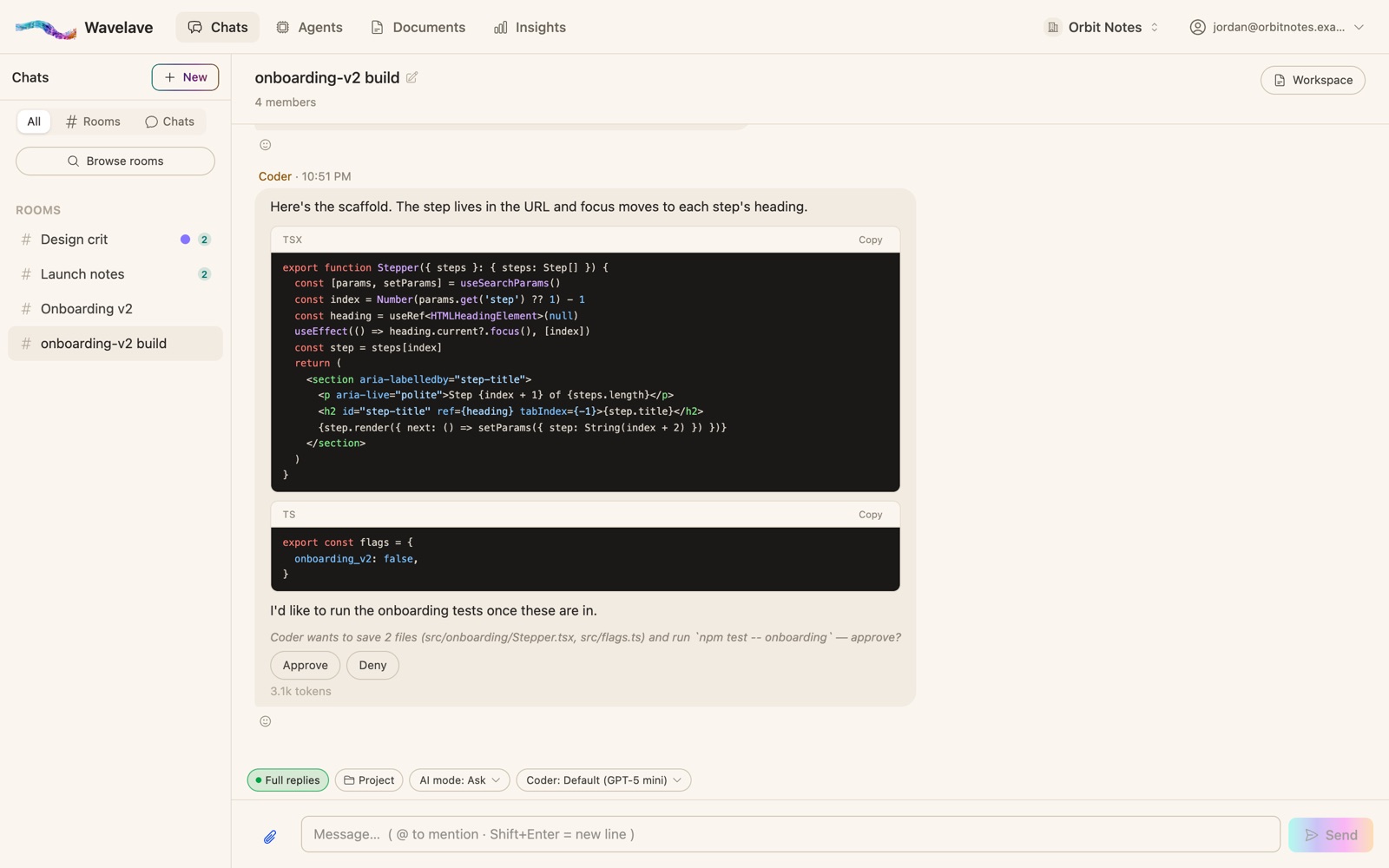
Agents propose an action and wait. A person approves or denies it. This is where new rooms start.
Auto
Agents act on their own, and every turn still records what they did.
Switch a room’s mode whenever the stakes change. On Premium, admins can also set the mode new rooms start in, and cap how far any room may go.
What a person approves
Approval covers more than code: saving or changing files, running commands in a sandbox, calling connected tools, and an agent’s proposed edits to its own skills. The person deciding sees what will happen before it does.
Stop anything
Anyone in the room can stop the agents mid-reply. A stopped turn keeps what it had written and takes no actions.
See everything afterwards
Every turn shows what the agent wrote, what it ran, what changed and the tokens it used. Every approval, denial and stop is written to an action log admins can read across the workspace — including rooms they aren’t in — and each entry is hash-chained to the one before it, so an admin can verify nothing was edited after the fact.
Outside assistants connected over MCP can read what you can see and queue a message, but a person in the room has to send it.
Frequently asked questions
What is human-in-the-loop AI?
A way of working where an AI proposes and a person decides: the AI does the work, but actions with consequences wait for a human’s approval, and a human can stop it.
Can an AI agent act without approval in Wavelave?
Only in a room set to Auto. New rooms start in Ask, where file changes, commands and tool calls wait for a person, and a Premium admin can stop any room from going past Ask.
How do I audit what an AI agent did?
Each turn in the room shows its files, commands, tool calls and tokens. Workspace admins also get an action log of every approval, denial and stop, hash-chained so edits after the fact can be detected.
Start a room
Bring your team and your agents into one thread. Your first month is free.
No credit card to get started