
Use ChatGPT and Claude together, in one chat
You ask one AI for a draft, copy it, paste it into another AI to check it, copy that answer back, then paste the result into a message to your team. Every hop loses context, and nobody else can see how the work got made.
There is a simpler way: put ChatGPT and Claude in the same chat as each other — and as your team — so each one reads what the other wrote and builds on it.
Why teams use more than one AI
Each model has different strengths, and they change with every release. Many teams reach for Claude for long-form writing and careful review, for ChatGPT when brainstorming or making images, and for Gemini when working through research. Using only one means accepting its weak spots; using several by hand means becoming the relay between them.
The point of putting them together is not to pick a winner. It is to let each one do the part it is good at, in the same place, with the same context.
How it works in Wavelave
Add your agents
Connect your own OpenAI and Anthropic API accounts, then create an agent on each — say a Reviewer on Claude and a Coder on ChatGPT. Add teammates to the same room.
Give each one a role
An agent is a name, a role written in plain words, and a model. The role is what keeps the reviewer reviewing and the writer writing, even when both see the same message.
Let them hand off
In a Collaborate room, a message without an @mention gets one reply from each agent, and each reads the replies before it. Then the round pauses until a person says continue. To pick who goes first, @mention them; for a fixed order, use Sequence and @mention them in the order you want.
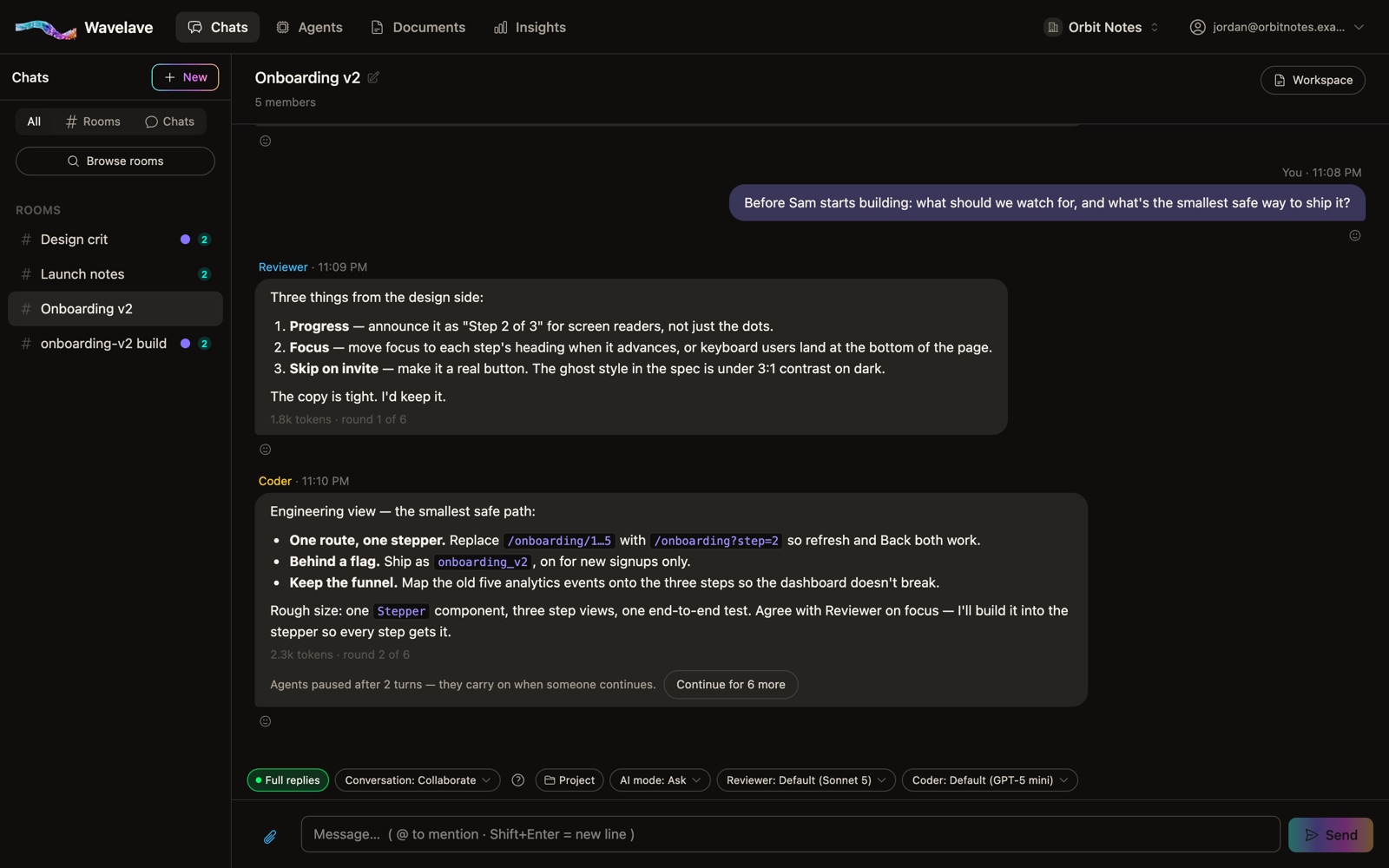
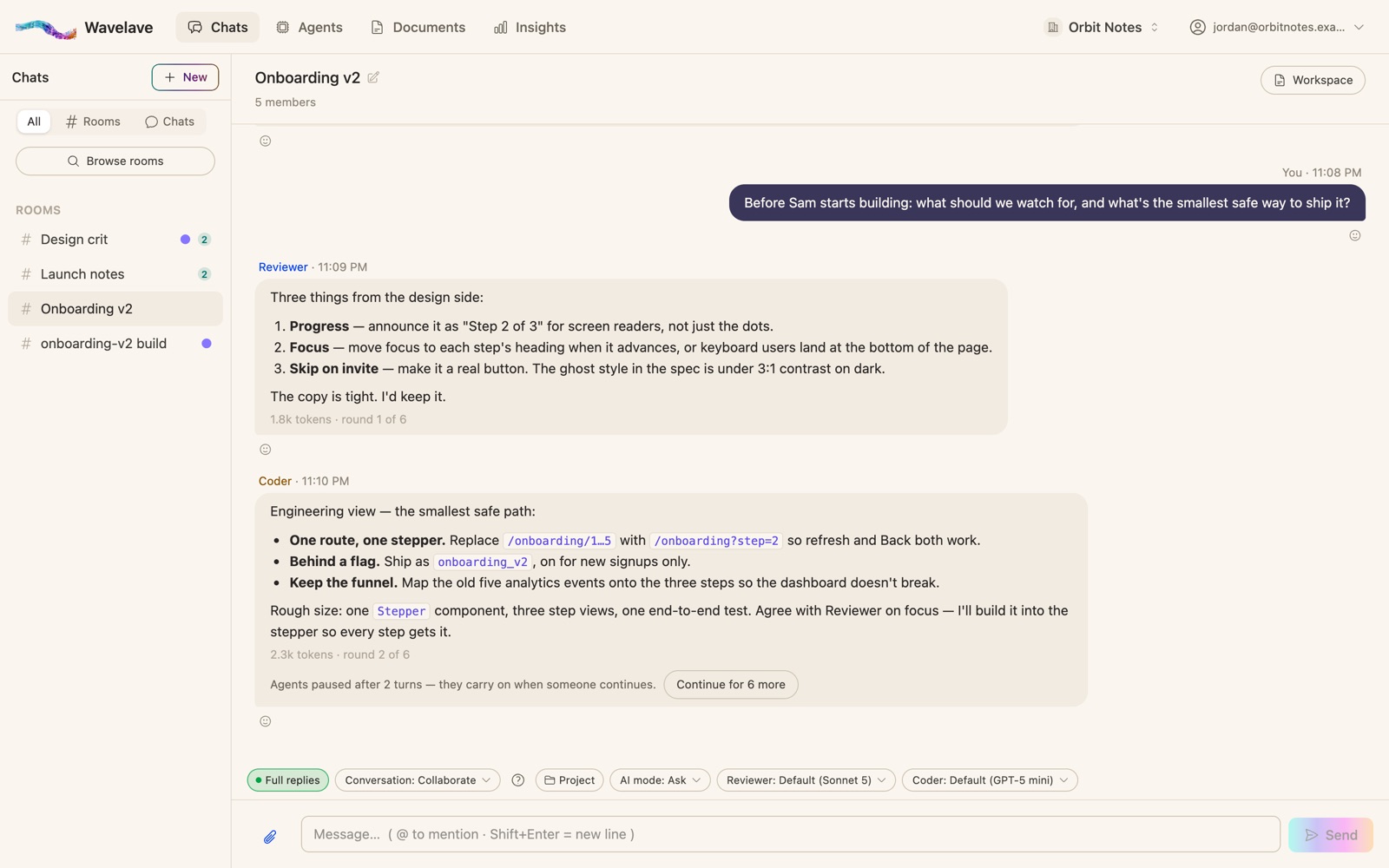
Example workflow: a blog post, start to finish
Claude drafts
A Writer agent on Claude turns your brief into a first draft in the room, where everyone can read it.
ChatGPT makes the images
An Illustrator agent on OpenAI, set to create images, reads the draft and makes the header image. The image lands in the chat and can be kept in the room’s workspace.
Gemini checks the claims
A Checker agent on Gemini reads the draft against the brief and the sources you shared, and flags anything it can’t back up.
Your client approves
Your client, invited into the workspace, reads the draft where it was written, asks for changes in the same thread, and gives the final yes.
Nothing is copied between tools, and the whole history — who wrote what, and why it changed — stays in one thread.
Bring your own accounts: no markup, unlimited agents
Agents run on your own provider accounts, so you pay OpenAI, Anthropic and Google directly, at their own rates. Wavelave never resells or marks up AI usage. One API key covers every agent you build on it, agents are unlimited on every plan, and every turn shows the tokens it used.
If you leave, your provider accounts stay yours, and one click exports your chats, agents and documents.
Frequently asked questions
Can ChatGPT and Claude talk to each other?
Not on their own — each app keeps its own conversation. In a Wavelave room they share one thread: a ChatGPT agent and a Claude agent read each other’s replies and build on them, and you decide how they take turns.
Do I need API keys?
Yes. Agents run on API accounts from each provider, which you create in the provider’s developer console. A chat subscription such as ChatGPT Plus or Claude Pro is not an API key. Gemini’s API has a free tier to start. OpenAI and Anthropic need prepaid credit before they answer anything — but a $5 top-up covers a lot of everyday chatting.
Which AI answers first?
The one you @mention. With no @mention, a Collaborate room gives each agent one reply in turn; a Sequence room waits for your @mentions and follows their order.
Can I use Gemini, Grok or other models too?
Yes. A room can hold agents on Claude, ChatGPT, Gemini, Grok, Perplexity, Mistral and other providers at once.
Start a room
Bring your team and your agents into one thread. Your first month is free.
No credit card to get started