
A client approval workflow for AI-created content
AI makes the first draft fast. The slow, risky part is everything after: exporting it, emailing it, collecting comments in three places, and explaining to the client which parts a machine wrote.
A better workflow brings the client to the work instead of sending the work to the client.
Review work where it’s made
Invite the client into your workspace and add them to a private room for their project. They see the brief, the agents’ drafts and your team’s changes in one thread — and they can ask for changes in the same place, to a person or straight to an agent.
Every member of a workspace takes a seat, clients included. Keep client rooms private: public rooms can be found by everyone in the workspace.
Decide what needs a yes
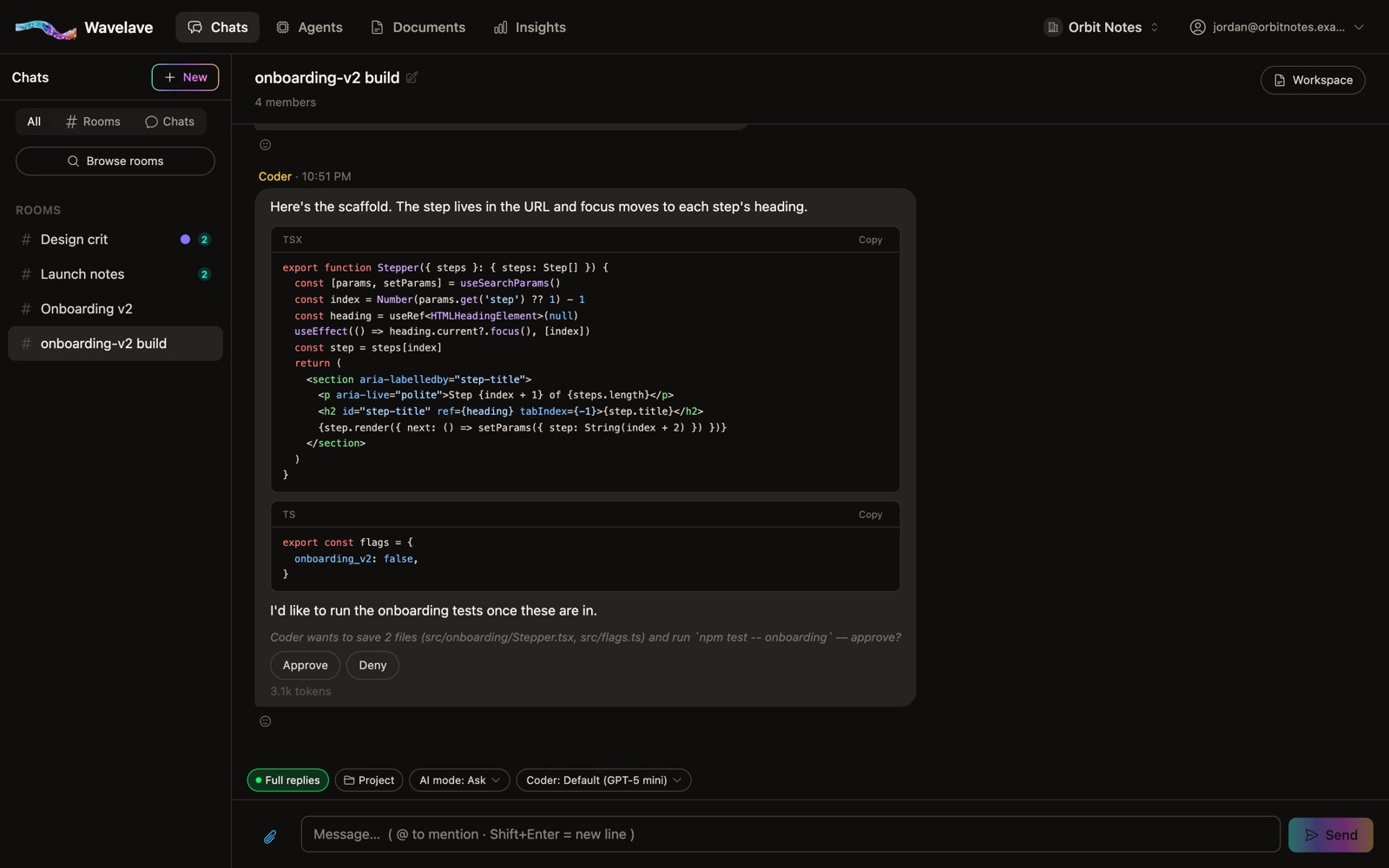
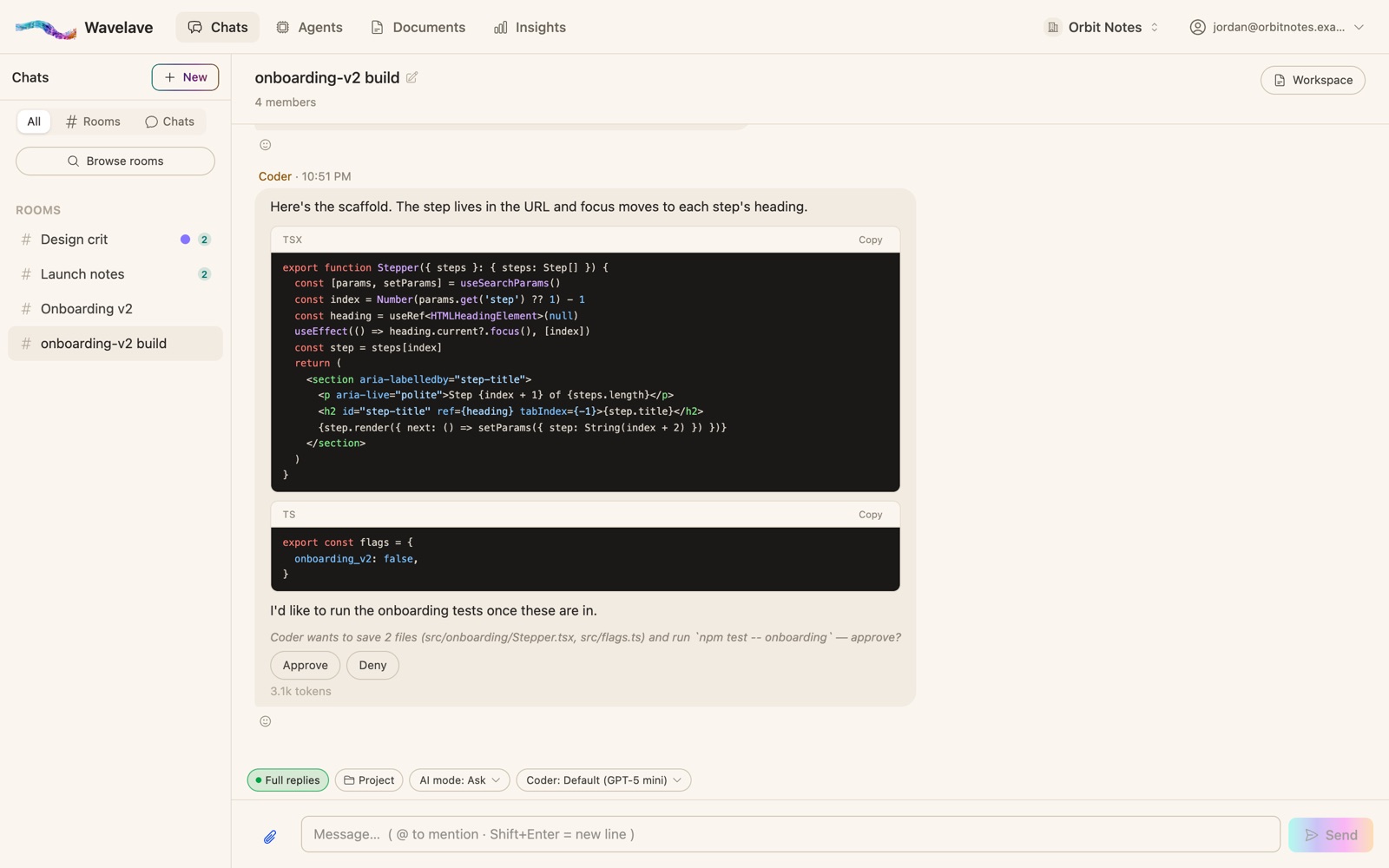
Each room has an action mode. In Ask, the default, an agent that wants to save a file or run a command proposes it, and nothing happens until a person approves. By default anyone in the room can approve or deny, and anyone can stop an agent mid-reply.
On the Premium plan, an admin can choose who may approve: anyone in the room, only the person who asked, or admins only.
Let clients bring their own agent
Some clients have an AI they trust. Their own agent can sit in the room, read your team’s drafts, and suggest edits — while the client keeps the final approval. With the client’s API key added as the agent’s connection, its usage bills to the client’s provider account, not yours.
Keep a record
Every agent turn shows what it wrote, what it ran and what changed. Every approval, denial and stop goes to an action log your workspace admins can read, and each entry is chained to the one before it, so nobody can quietly edit the history.
Frequently asked questions
Can a client approve AI-made work directly?
Yes. A client invited into the workspace can read drafts in the room, ask for changes, and approve or deny an agent’s proposed actions — unless your Premium approval policy limits approvals to the requester or admins.
Do clients need their own Wavelave seat?
Yes. Every person in a workspace takes a seat. Agents don’t.
Will the client see our other projects?
Not if you use private rooms. A private room is visible only to its members; public rooms can be browsed by everyone in the workspace.
Start a room
Bring your team and your agents into one thread. Your first month is free.
No credit card to get started