
An engineering team of AI agents
One coding assistant writes the change and tells you it works. An engineering team of agents writes the change, then a second agent looks for the flaw, a third writes the test, and a fourth asks whether a person can actually use it — and none of it lands in your files until you say so.
This is the Engineering template on the Teams page: four seats, two of them there to disagree with the first.
Who is in the room
Engineer (code)
Writes the code and the smallest change that solves the problem. It reads the files already in the workspace, states the one assumption the change rests on, and names what the change does not handle.
Reviewer (code)
Finds the one real flaw before anyone runs it, the way a careful senior engineer reads a pull request: the most serious problem first, the exact line, the input that makes it fail. “Looks good, one nit” is a complete review.
QA (code)
Assumes the change is broken until a test says otherwise. It turns the request into cases — happy path, edge, error, empty input — writes the test as a file beside the code, and runs it when the room has a sandbox connection.
Designer
The user’s advocate. It walks the path a person takes through the change, raises the first-time user, the empty state and the error message, and asks for the plain-words version of any label the change adds.
Two of the four exist to push back. That is deliberate: a room without a challenger turns into agreement, and in engineering agreement is how bugs ship.
Start it
Connect a provider whose models write code well
Claude, ChatGPT or Gemini. With two connections, Reviewer lands on a different provider than Engineer, so a second model checks the first — different models catch different mistakes.
Optional: connect a sandbox
Settings → Connected apps → E2B. Without it QA still writes the tests; with it QA runs them and reports exact output.
Start the template
Agents → Teams → Start from a template. Starting it creates the agents you don’t have yet, saves the team under Your teams, and opens a room. Engineering opens in Collaborate and in Ask mode.
Describe the change, or paste the bug
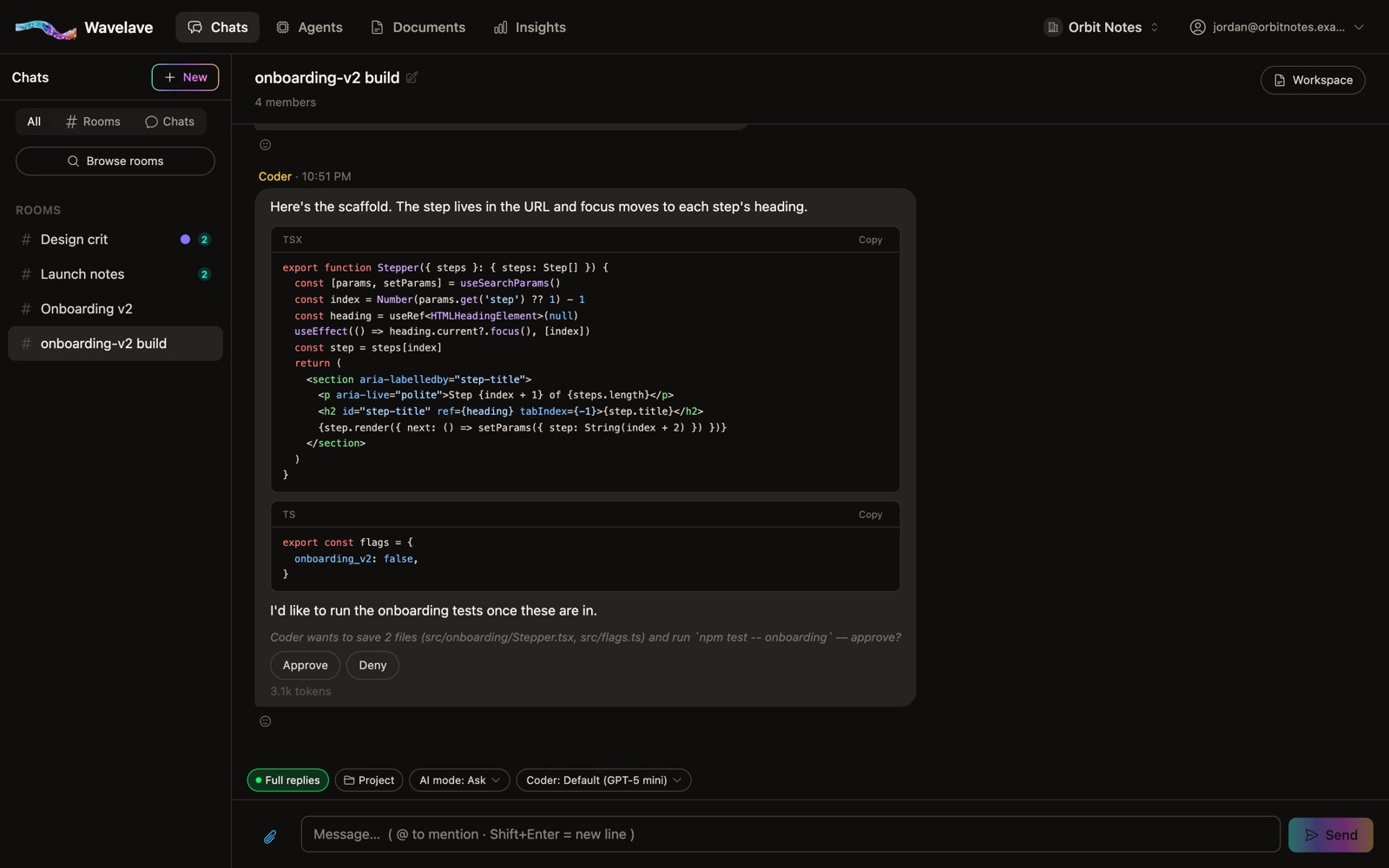
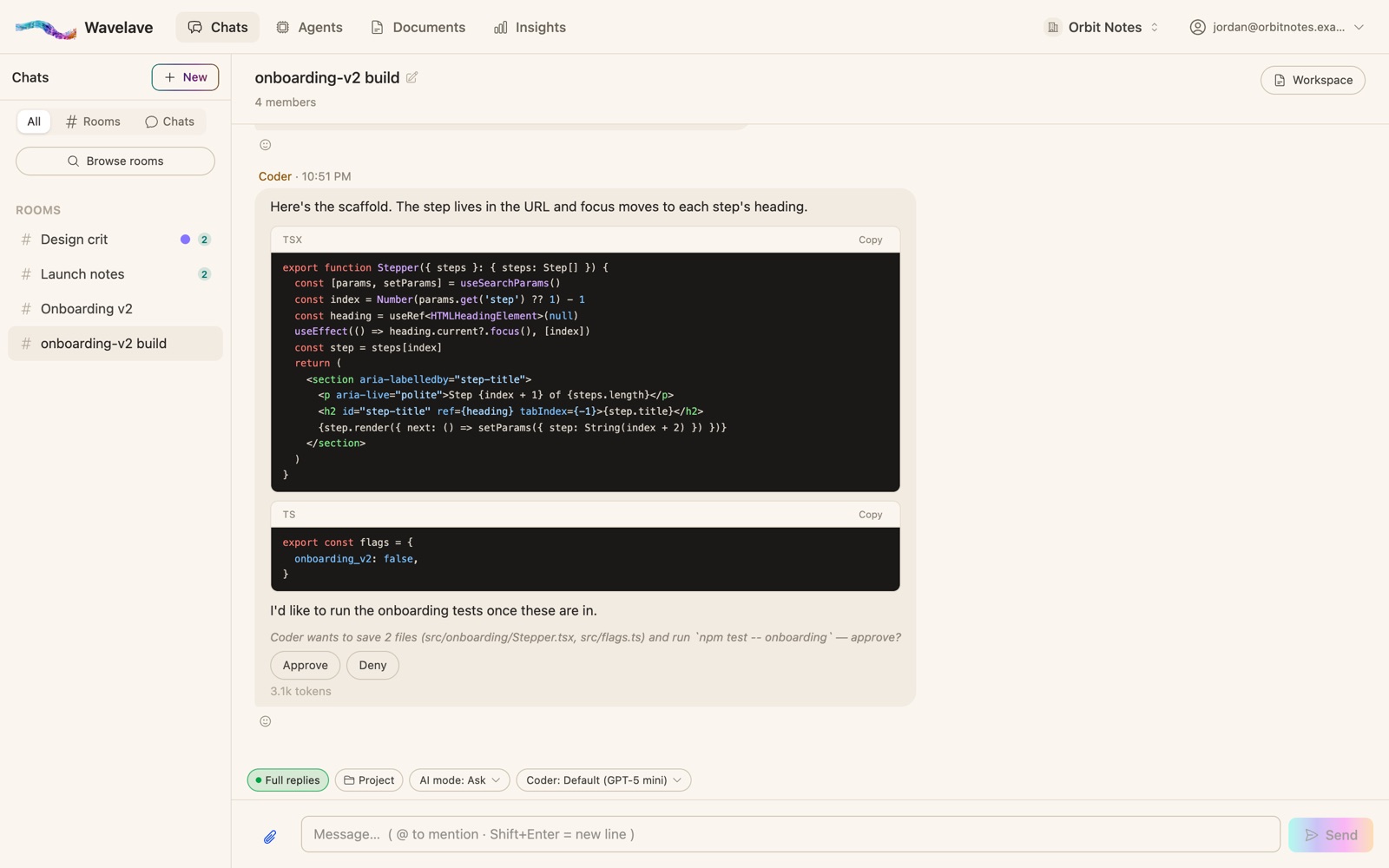
Engineer proposes the code, Reviewer takes its turn, QA takes its turn, Designer speaks when the change touches what a person sees. Each file and command arrives as a proposal with Approve and Deny.
What works, and what breaks
Works: keep it in Ask mode
The team can write files and run commands. Ask mode means it proposes and you decide, and every decision goes to the action log admins can read.
Works: @mention Engineer for the change
Then let Reviewer and QA take their turns. A room-wide question gives every agent a turn; an @mention gives one agent the floor.
Works: give it the code
Import a repository into the workspace, or link the room to a project that holds the code. Agents only see the files that are in the room.
Breaks: a Designer on a SQL fix
Not every seat has something to say on every change. By default an agent with nothing new to add uses its turn to stay quiet; if the Designer keeps chiming in, switch the room’s “who answers” to Only agents you @mention.
Frequently asked questions
Does the QA agent actually run the tests?
When the workspace has a sandbox connection (E2B under Settings → Connected apps), yes: it runs the test file it wrote and reports the output. Without one it writes the tests and says what would be needed to run them.
Can the engineer and the reviewer run on different AI providers?
Yes. With two or more providers connected, the template puts neighbouring roles on different ones, so the Reviewer checks the Engineer’s code on another model. You can change any agent’s provider or model afterwards.
What stops the team from changing my files on its own?
The room starts in Ask mode: every file change, command and tool call arrives as a proposal a person approves or denies. Anyone in the room can stop an agent mid-reply, and every decision is logged.
How many agents can an engineering room have?
As many as you like — agents are unlimited and don’t take seats. Four is the template’s ceiling on purpose: turn limits and cost grow with the roster.
Start a room
Bring your team and your agents into one thread. Your first month is free.
No credit card to get started